

The stock market moves fast. A stock can hit your desired buying price or profit target within seconds, and if you’re not actively monitoring the market, you may miss the opportunity.
This is where Good Till Triggered (GTT) Orders become a powerful tool for traders and investors.
With Emerge by Flattrade, you can create GTT orders that remain active until your specified price condition is met. Once the trigger price is reached, the system automatically places the order on your behalf, helping you execute trades even when you’re away from the market.
A Good Till Triggered (GTT) Order is an advanced order type that allows traders to define a price condition in advance.
- Select a stock
- Set a trigger condition
- Define your buy or sell price
- Let the system monitor the market
When the specified condition is met, the order is automatically triggered and sent to the exchange.
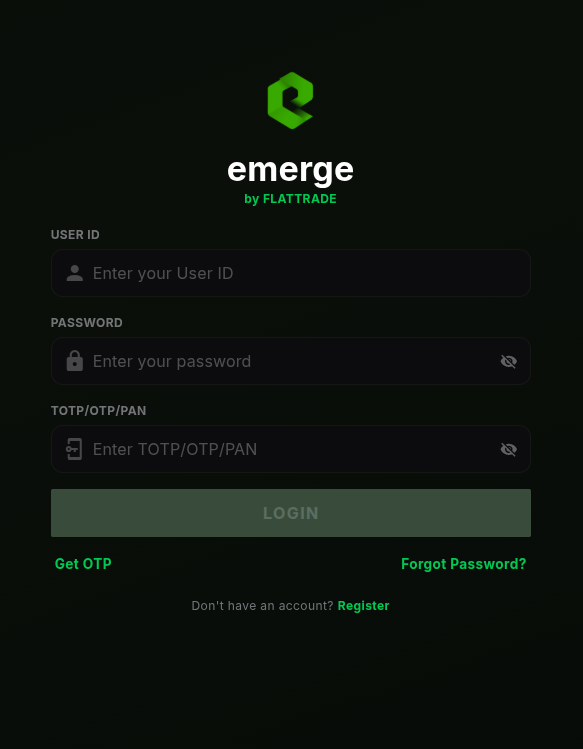
Log in to your Emerge trading account using your credentials.
1. Search for the stock you want to trade from the watchlist or search bar.
2. Choose whether you want to Buy or Sell
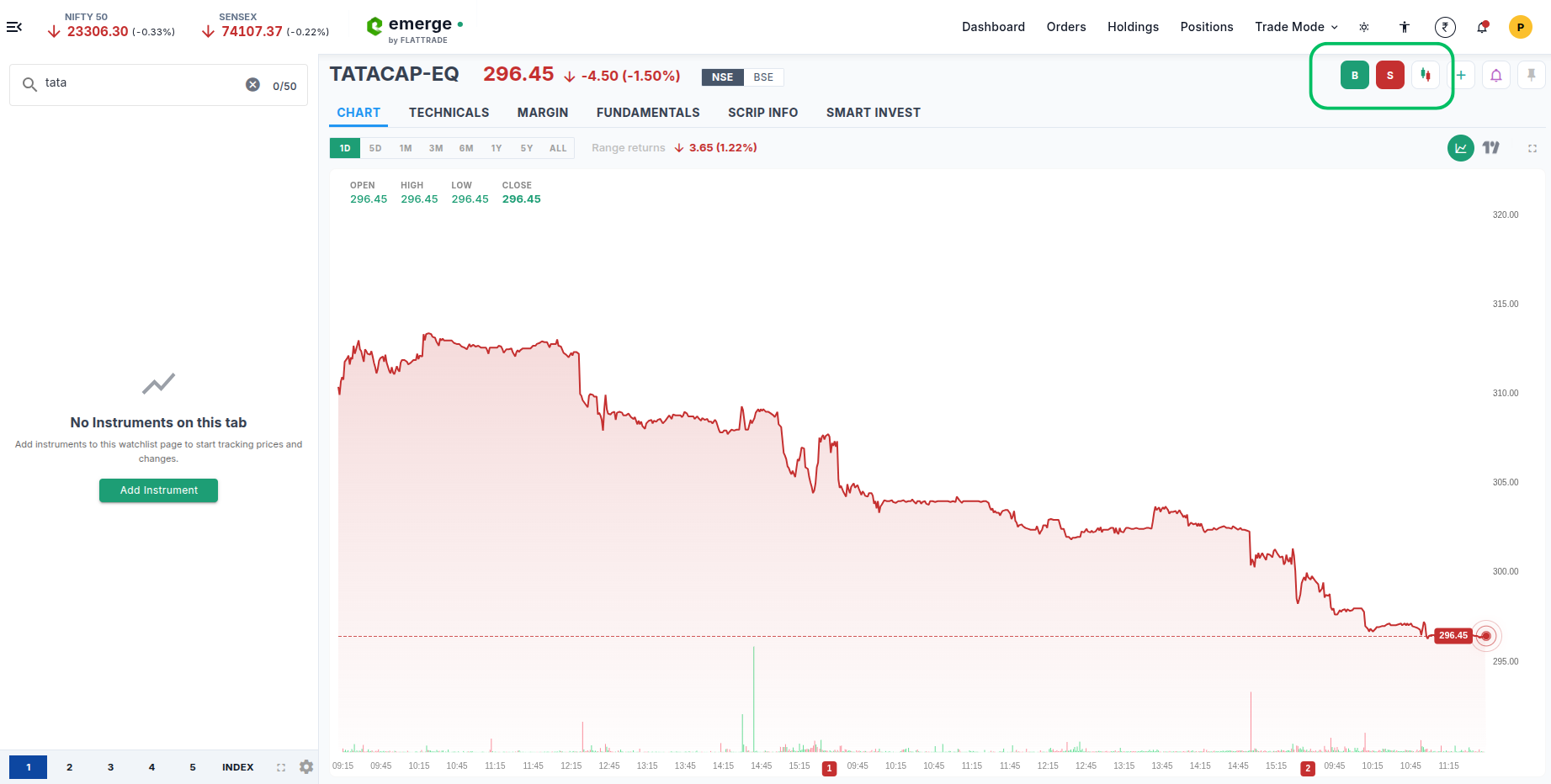
Inside the order placement window:
✓ Select the GTT option
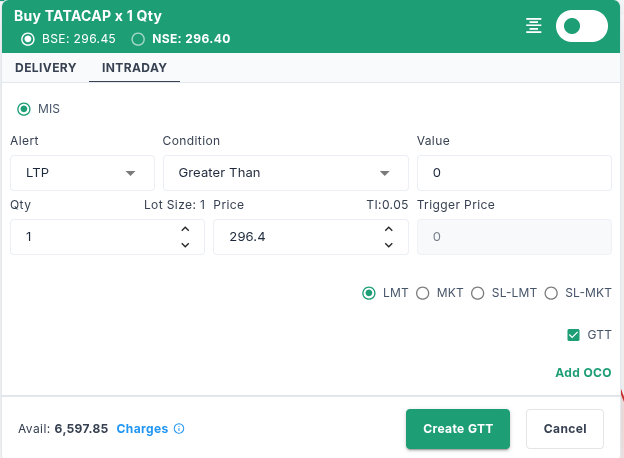
✓ You can also select OCO
OCO stands for One Cancels the Other. It combines: A Target Order (Take Profit) and a Stop-Loss Order. When either the target or stop-loss is triggered, the remaining order is automatically cancelled.
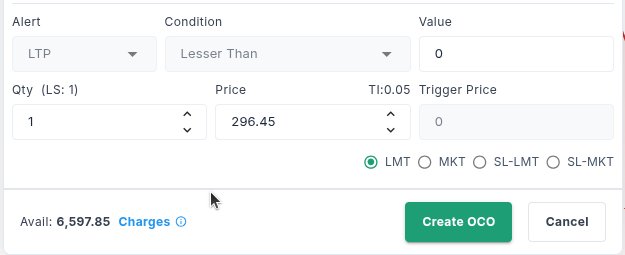
Choose the condition based on your trading strategy. Enter Quantity and Order Price. Specify Quantity, Order Price, and Order Type (Limit or Market). Review the details carefully before proceeding.
Click Create GTT. The order is now saved and Emerge will monitor the market based on your trigger condition.
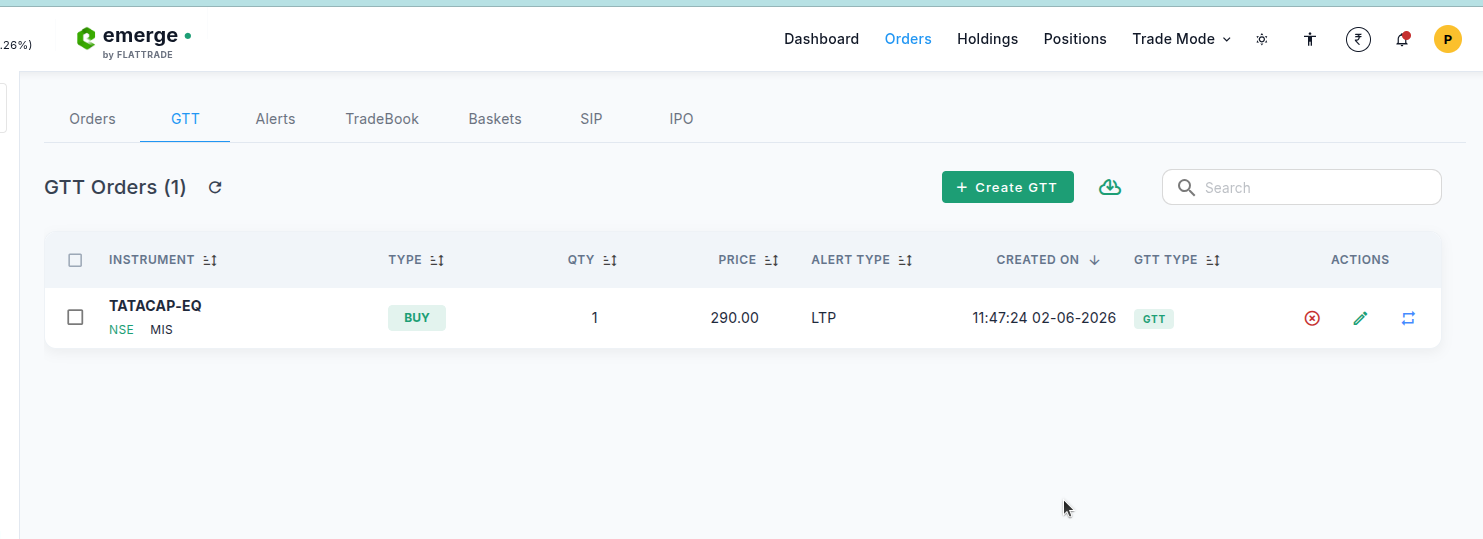
To check your active GTT orders: Orders → GTT. You can also edit GTT order or cancel order.
Frequently Asked Questions (FAQs) About GTT Orders
A Good Till Triggered (GTT) Order is an order that remains active until a predefined price condition is met. Once the trigger condition is satisfied, the order is automatically placed in the market.
You simply set a trigger condition, quantity, and order price. Emerge continuously monitors the stock price, and when your trigger condition is met, the order is automatically sent to the exchange.
A regular order is placed immediately and remains valid only for the trading session, whereas a GTT Order waits for your specified trigger condition before placing the order.
Yes. Emerge allows you to create GTT Orders for both buy and sell transactions based on your preferred price levels.
You can set conditions such as:
- Greater Than: price moves above a level
- Less Than: price falls below a level
These conditions help traders automate breakout or dip-buying strategies.
Yes. Active GTT Orders can be modified at any time before they are triggered.
Absolutely. You can cancel any active GTT Order from the Orders → GTT section in Emerge.
Yes. Long-term investors often use GTT Orders to accumulate stocks at desired prices without continuously tracking the market.
Once the trigger condition is satisfied, Emerge automatically places the order according to the quantity and price specified by you.
Yes. Since the entry or exit conditions are predefined, GTT Orders help traders stick to their strategy and avoid impulsive decisions caused by market volatility.
No. Once a GTT Order is successfully created, Emerge monitors the trigger condition on your behalf. You do not need to keep the platform open.
GTT Orders are ideal for:
- Working professionals
- Long-term investors
- Swing traders
- Positional traders
- Anyone who cannot monitor markets throughout the day
They help ensure trading opportunities are not missed when market conditions match your strategy.