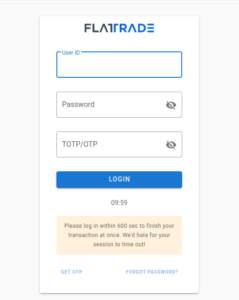
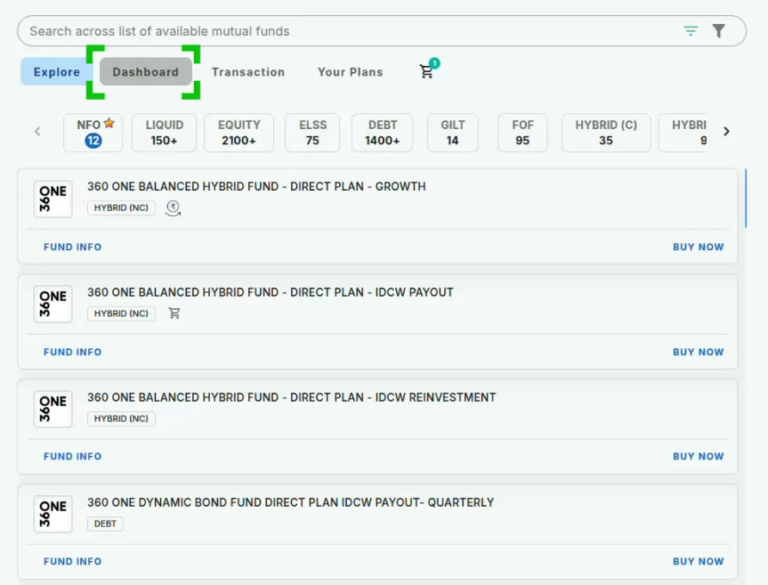
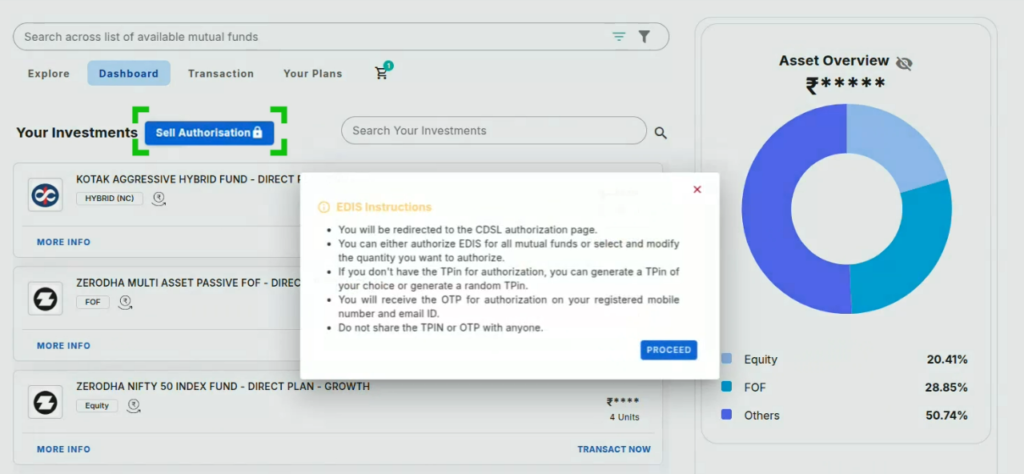
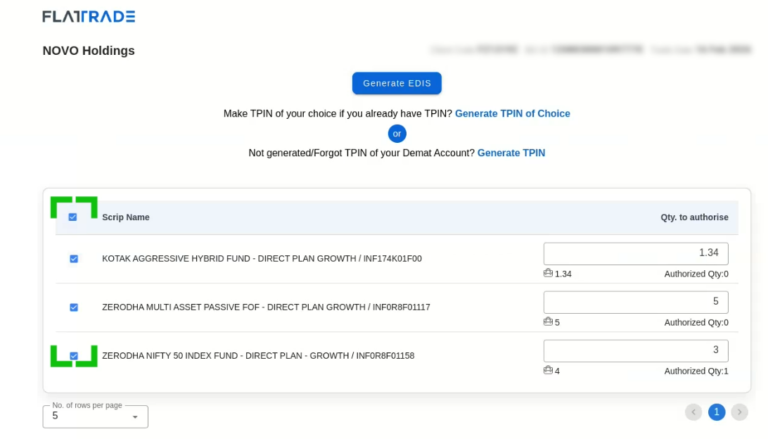
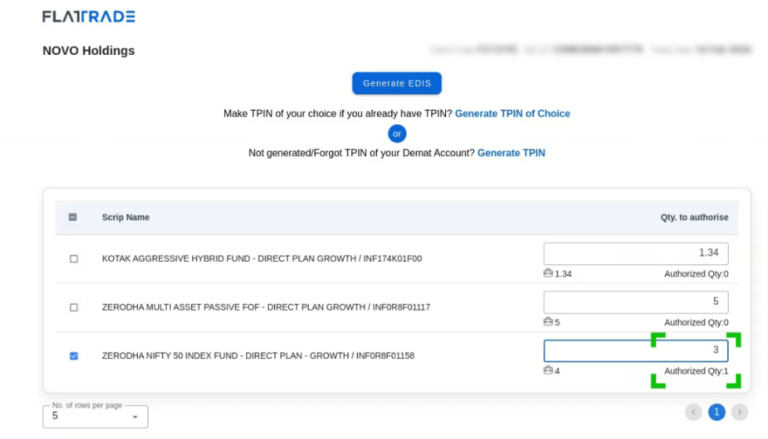
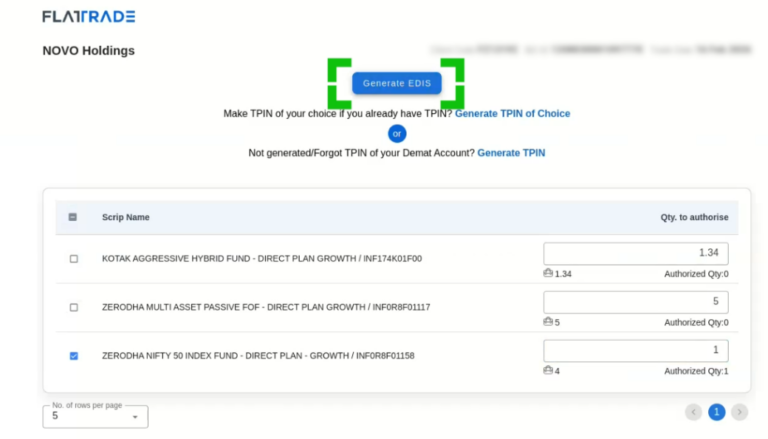
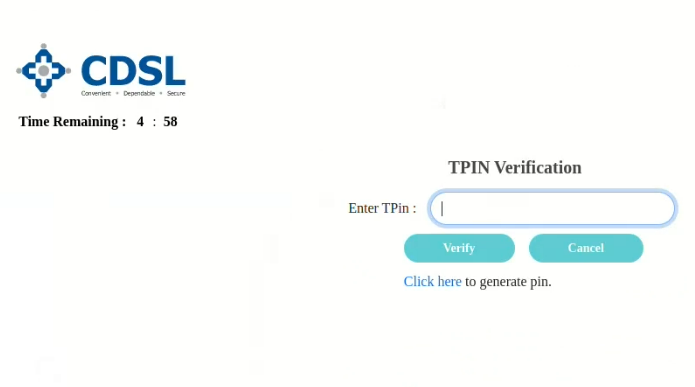
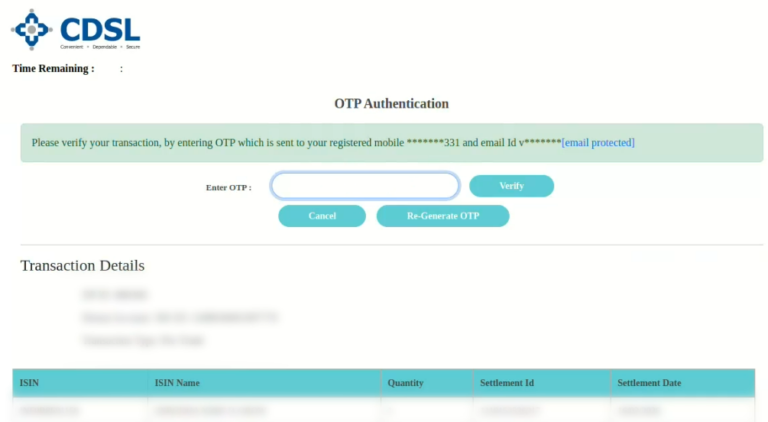
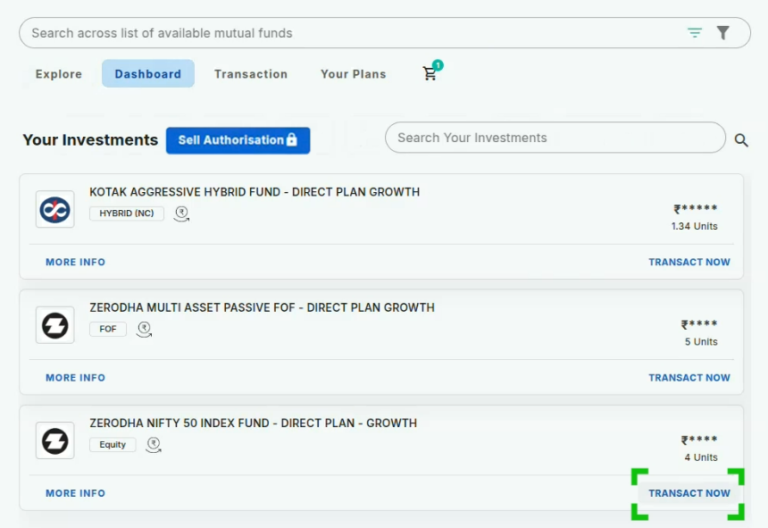
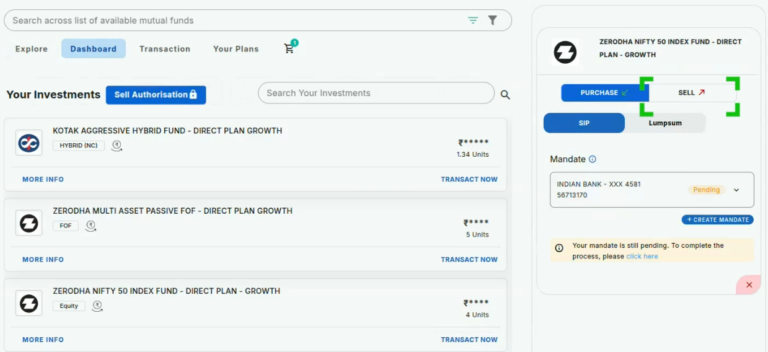
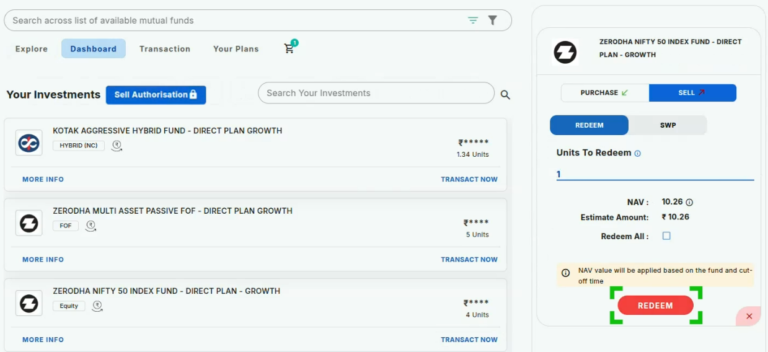
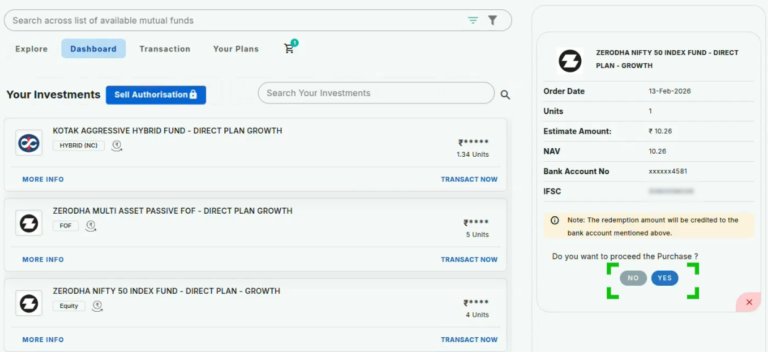
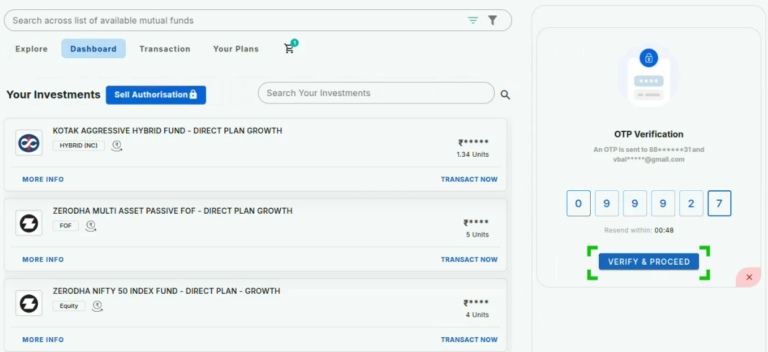
Main Mutual Fund EDIS How to Authorize e-dis? (Step by Step process) Print How to Authorize e-dis? (Step by Step process) PostedFebruary 17, 2026 Bythanushaa Login to the Novo platform with your credentials Click on the Dashboard to view your investments 3. Click on Sell Authorisation, read the e-dis instructions, and click proceed 4. Select the Scrips for which you want to generate e-dis 5. Alter the quantity according to your Authorized quanity 6. Click ‘Generate EDIS’Note: If you are authorizing e-DIS for the first time, please click on “Generate TPIN” to create your TPIN. 7. You will be redirected to the CDSL page, enter your TPIN and click verify 8. Enter the OTP received through your Mobile Number / EMail id Note: After this process, your e-dis will be generated and you will go back to your Novo dashboard9. Click ‘Transact Now’ under the Mutual Fund you want to choose 10. Select Sell before proceeding 11. Select Redeem and enter the number of units for redeeming, and click Redeem 12. Verify the details and click yes to proceed with the purchase 13. Enter the OTP received to your Phone number/Email id and click Verify & Proceed Note: After this, your Redemption request is successfully submitted.The redemption amount will be credited to your registered bank account. Open Zero Brokerage Account

 Get App
 Web Trading
 Backoffice
 IPO Apply
 Manage Account
 Wall
Wall Kosh
Kosh