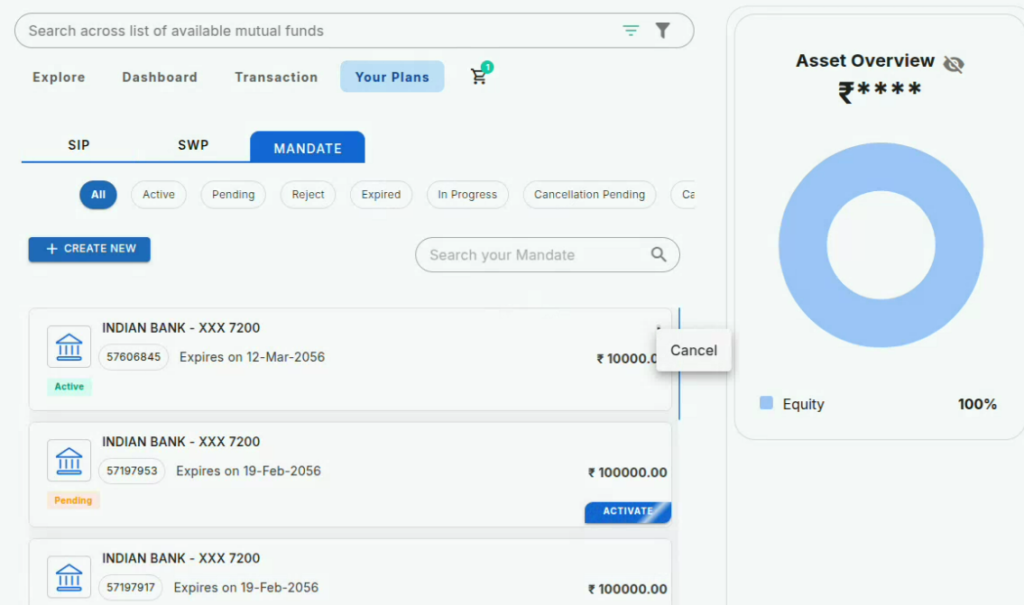
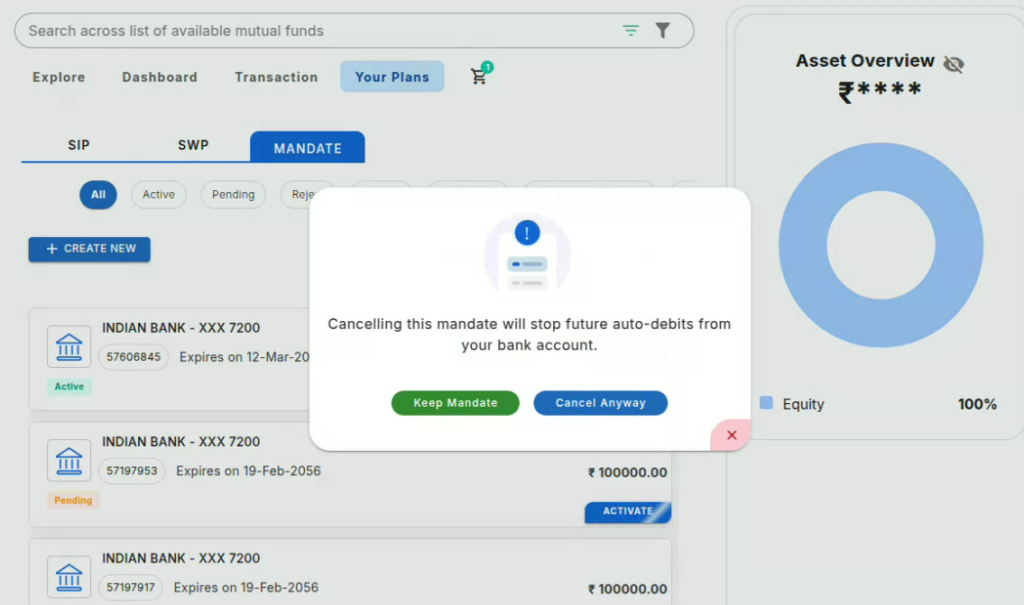
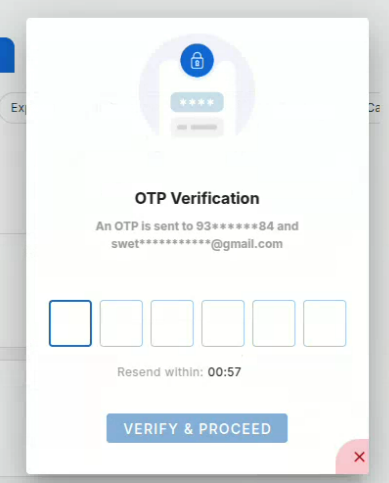
Main Mutual Fund SIP Mutual fund How to Cancel Mandate? Print How to Cancel Mandate? PostedMarch 18, 2026 Bythanushaa Log in to the Novo Platform and click ‘Your Plans.’Navigate to the Mandate sectionChoose the Fund you want to cancel the Mandate for and click the three dots in the right cornerClick ‘Cancel’ Click ‘Cancel Anyway’ to confirm your cancellation Enter the OTP received to your registered mobile number or email and click verify Note: Your mandate cancellation request will succesfully submitted after this step.

 Get App
 Web Trading
 Backoffice
 IPO Apply
 Manage Account
 Wall
Wall Kosh
Kosh