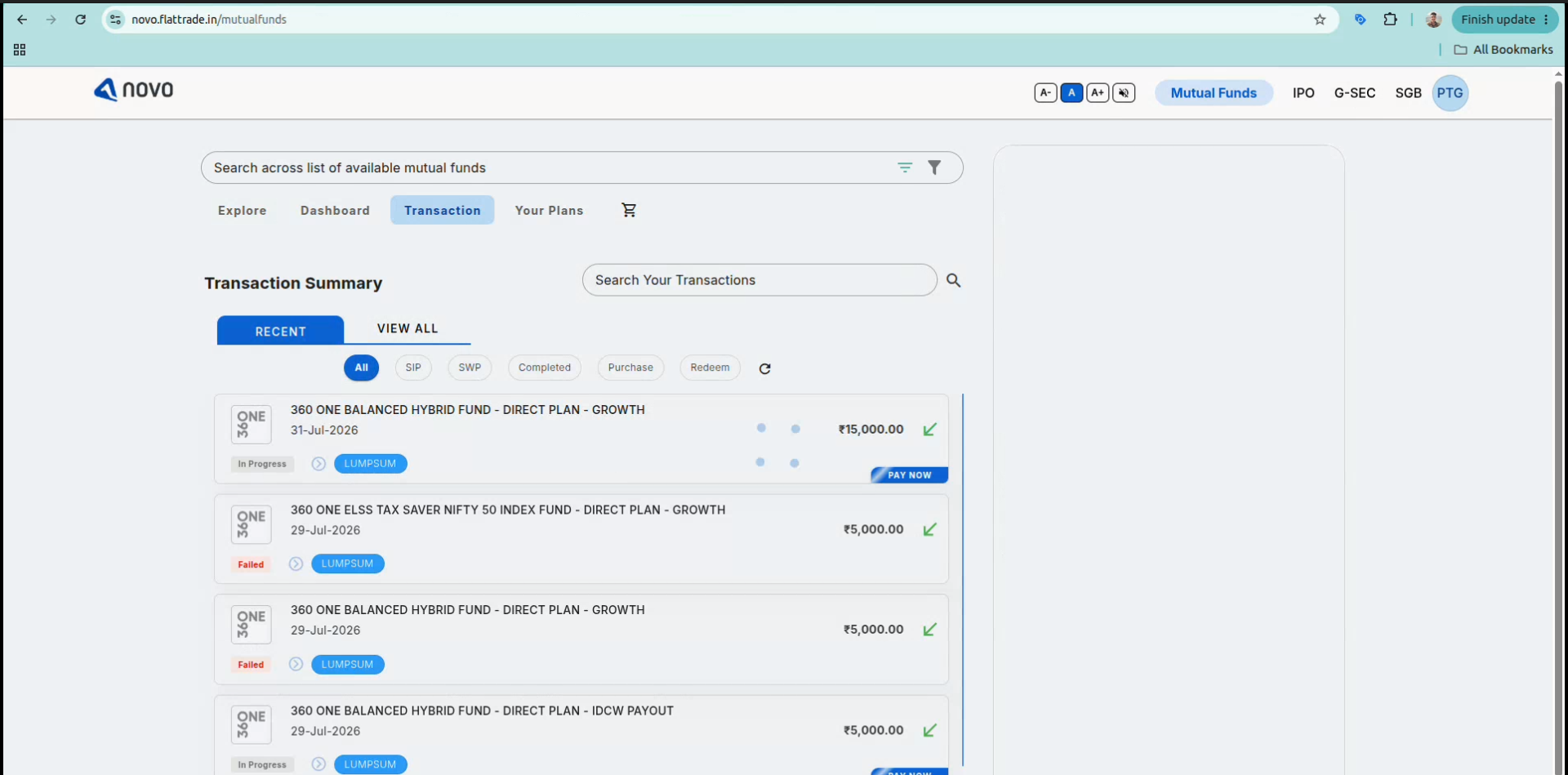
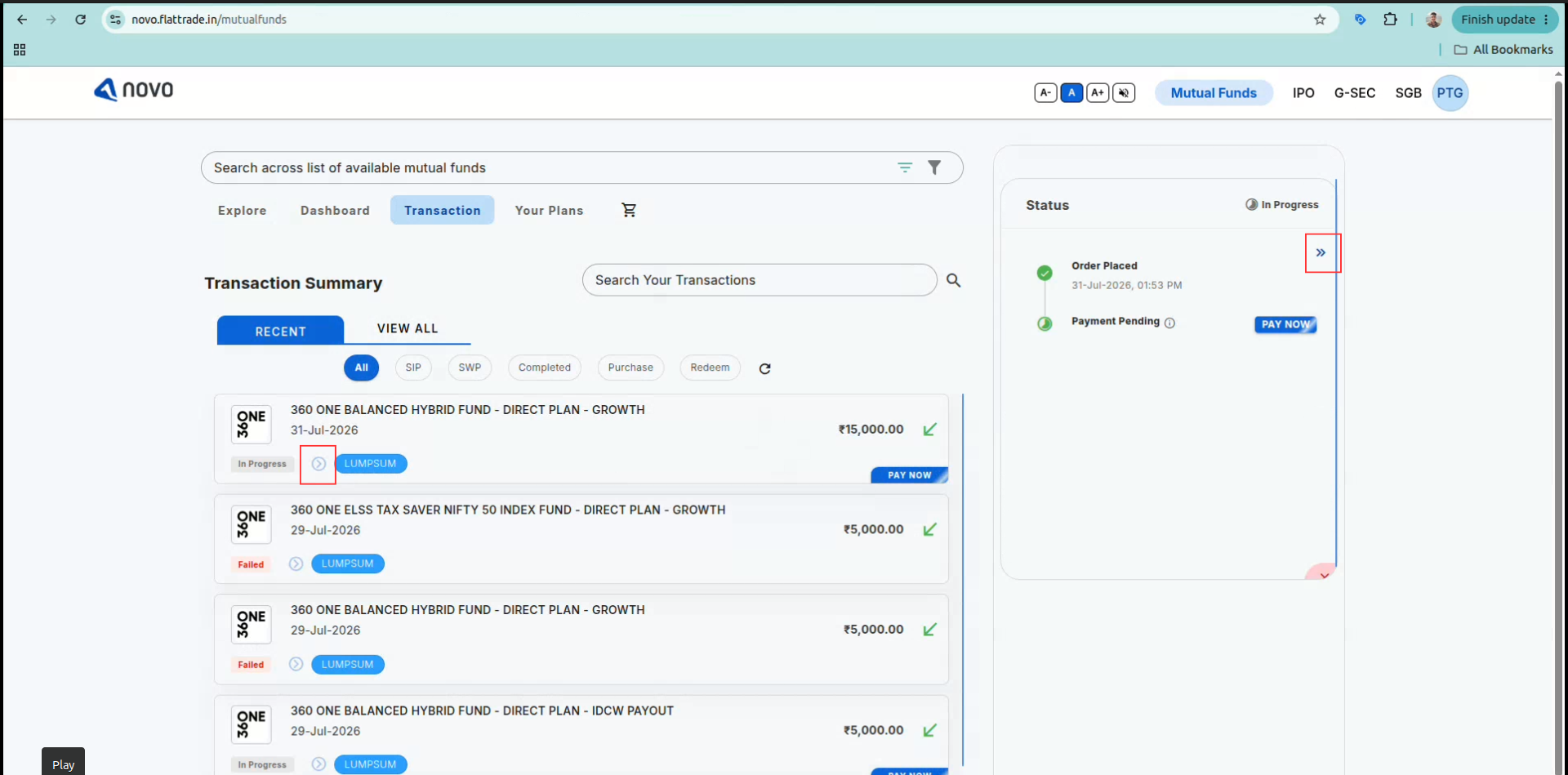
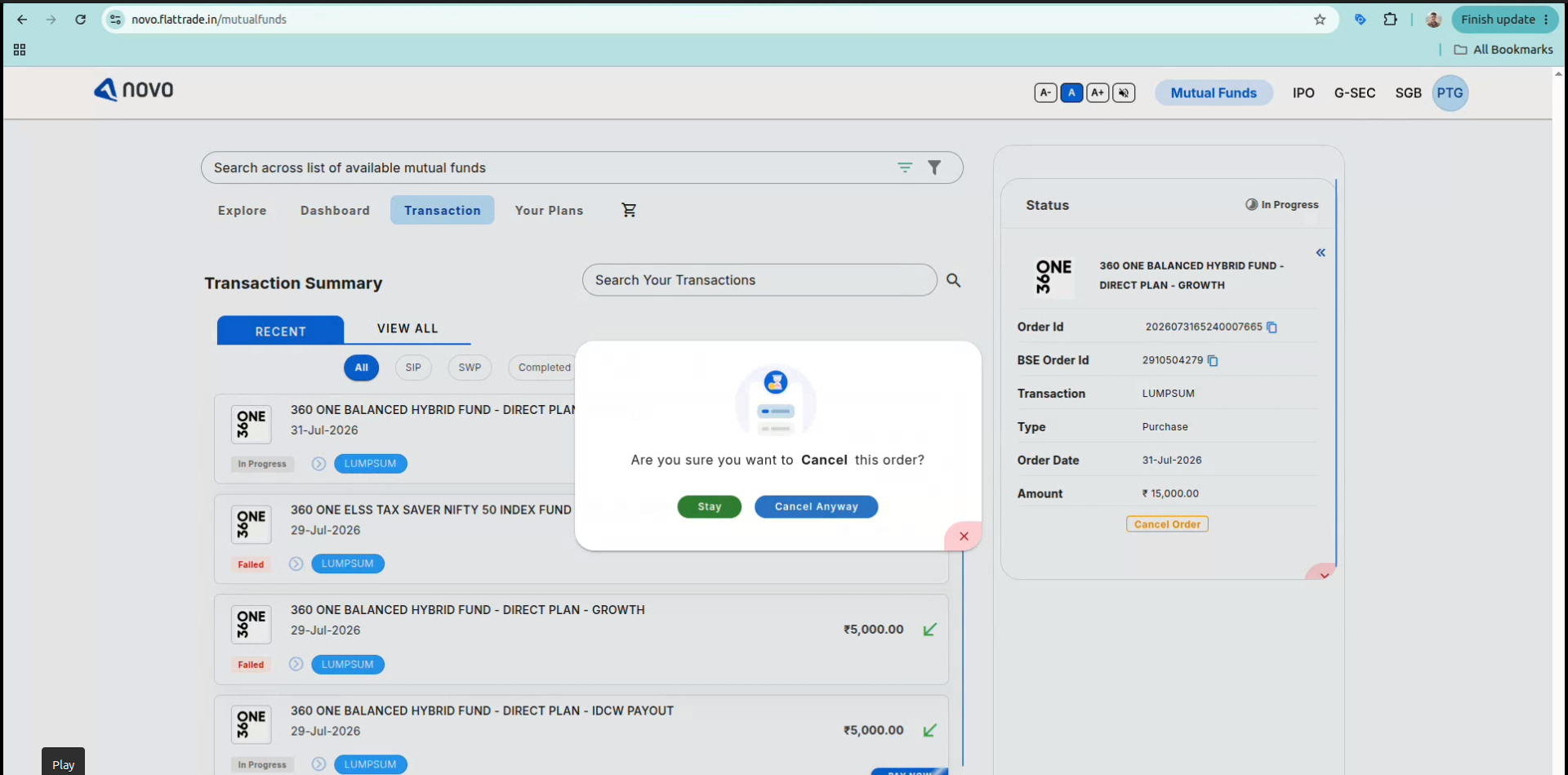
Main Mutual Fund General Mutual Fund queries How do I cancel a pending Mutual Fund order on NOVO by Flattrade? Print How do I cancel a pending Mutual Fund order on NOVO by Flattrade? PostedJuly 31, 2026 ByPrashant Gorhe 1. Log into your Novo Flattrade account and click on Mutual Funds in the top navigation bar. 2. Click on the Transaction tab to view your active and past orders 3. Select Your Order: Locate and click on the pending order you want to cancel from the transaction list. 4. Click Cancel Order: In the side panel displaying the order status details, click the Cancel Order link. 5. Confirm Cancellation: A prompt will appear asking “Are you sure you want to Cancel this order?” Click Cancel Anyway to proceed. Note: If the payment for a placed order is not completed within T+2 days, the order will automatically be cancelled by the system.

 Get App
 Web Trading
 Backoffice
 IPO Apply
 Manage Account
 Wall
Wall Kosh
Kosh