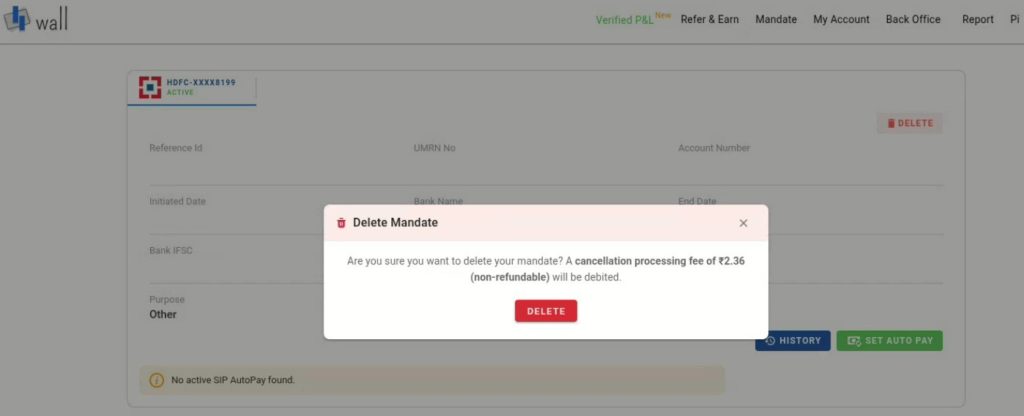
Log in to the Wall platform and navigate to the Mandate Section
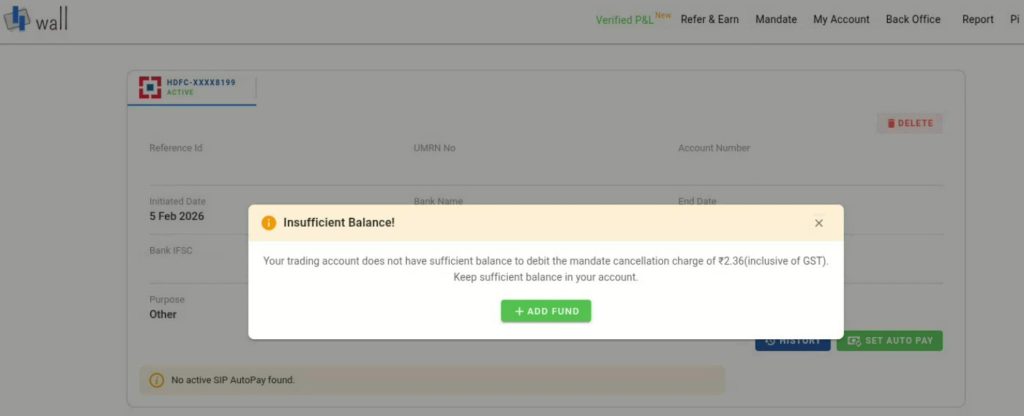
Ensure your trading account ledger has ₹2 + GST available for the mandate cancellation charge.
Once the request is submitted, Digio forwards the cancellation request to the bank.
The bank verifies the request and cancels the autopay. After confirmation, the cancellation status is updated on the platform, and the mandate is marked as cancelled.
To ensure the cancellation is effective, the request must be initiated at least T-2 days before the next scheduled debit.
Note: If sufficient balance is not available, the cancellation request will not be processed, and you will be prompted to add funds to proceed.

 Get App
 Web Trading
 Backoffice
 IPO Apply
 Manage Account
 Wall
Wall Kosh
Kosh