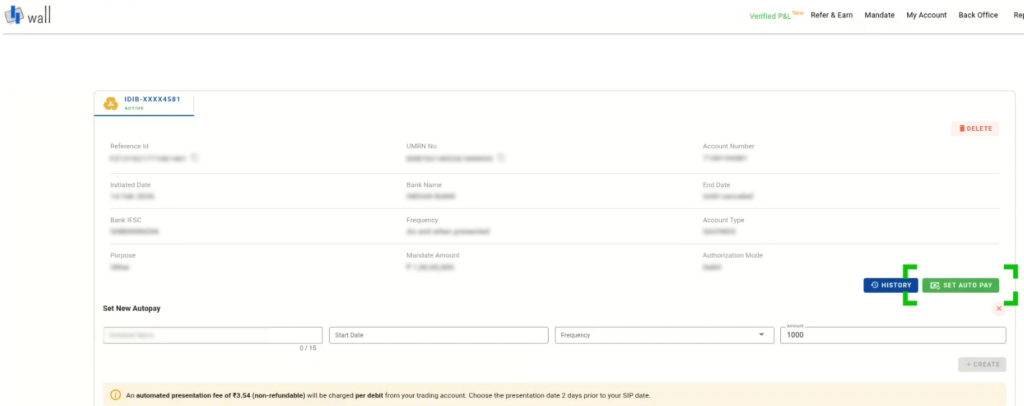
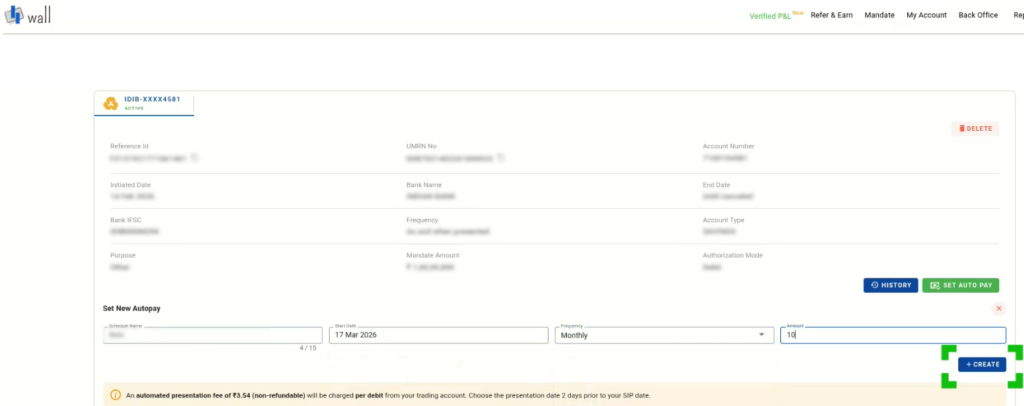
Main Funds E-mandate for equity SIP How to setup autopay? (Step by step process) Print How to setup autopay? (Step by step process) PostedFebruary 18, 2026 UpdatedFebruary 19, 2026 Bythanushaa Log in to the Wall PlatformNavigate to the Mandate sectionSelect the active mandate and click on Set Autopay.Note: After the mandate is created and activated (it may take upto 7 days), clients can proceed to set up Autopay. Enter and review the autopay details such as name, amount, frequency, and investment instructions. Click create to proceed Once submitted, Autopay will be successfully set up and scheduled as per the selected instructions.

 Get App
 Web Trading
 Backoffice
 IPO Apply
 Manage Account
 Wall
Wall Kosh
Kosh